
Querying nodes with labels#
Identifying subsets of nodes is a common task when analysing spatial networks. For example, you may wish to compute a statistic using only a subset of nodes or extract nodes that satisfy a particular condition, such as having a specific label or attribute.
In this tutorial, we’ll demonstrate how to identify node IDs using the query_nodes() function. We’ll begin by loading the example spiral dataset and assigning categorical labels to its nodes.
[1]:
import spacenet as sn
import numpy as np

# load in the example dataset 'sprial'
spiral_data = sn.datasets.load_dataset('spiral')

# extract the point data
points = np.array([spiral_data['x'],spiral_data['y']]).T

# extract the categorical labels
cat_labels = spiral_data['Marker (categorical)']

# generate a spatial network
spatial_net = sn.utils.spatial_network_from_points(points,max_edge_distance=75)

# add the categorical labels to the network
sn.utils.add_node_labels(spatial_net,labels=cat_labels,node_label_name='demo label (cat)')

# plot the spatial network with nodes colored by the demo labels
sn.utils.plot_spatial_network(spatial_net,node_label_name='demo label (cat)')
[1]:
(<Figure size 640x480 with 2 Axes>, <Axes: >)
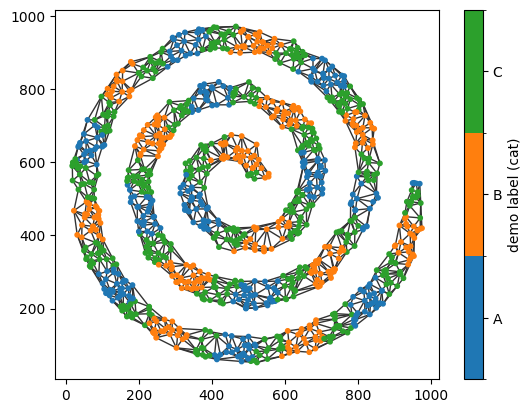
We now have a spatial network with the categorical node labels demo label (cat). Let’s use query_nodes() to retrieve the IDs of all nodes whose label is A.
The query_nodes() function has three key parameters:
node_label_name: the name of the node label to query.relation: the comparison operation to apply (e.g.equals,in,greater_than).node_label_value: the target value or values to compare against.
Querying all nodes with the label A is then as simple as:
[2]:
# query for nodes with label A
node_ids_A = sn.utils.query_nodes(spatial_net,node_label_name='demo label (cat)',relation='is',node_label_value='A')

# print out the first 10 node IDs
print('Node IDs of nodes with label A (first 10):',node_ids_A[:10])
Node IDs of nodes with label A (first 10): [ 0 2 3 6 14 15 18 22 23 24]
The query_nodes() function returns an array of node IDs. This is the standard format used throughout SpaceNet whenever a subset of nodes needs to be specified.
To verify that the query returned the expected nodes, we can pass node_ids_A to plot_spatial_network() using the nodes_to_plot parameter. This plots only the nodes whose IDs are contained in the array.
[3]:
# plot the spatial network with only nodes with label A
sn.utils.plot_spatial_network(spatial_net,nodes_to_plot=node_ids_A,node_label_name='demo label (cat)')
[3]:
(<Figure size 640x480 with 2 Axes>, <Axes: >)
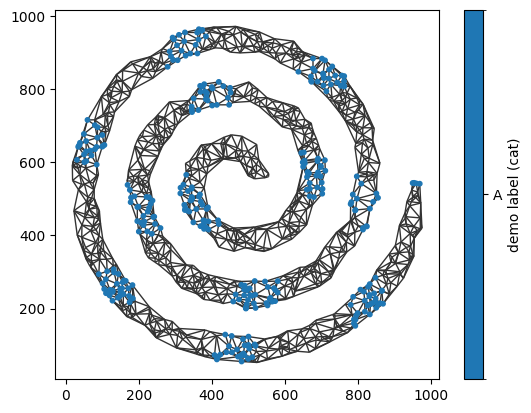
The same approach can be used with negated queries. For example, we can retrieve all nodes whose demo label (cat) is not A and visualise the result.
[4]:
# now let's get all nodes without the label A
node_ids_not_A = sn.utils.query_nodes(spatial_net,node_label_name='demo label (cat)',relation='is not',node_label_value='A')

# plot the spatial network with nodes without label A
sn.utils.plot_spatial_network(spatial_net,nodes_to_plot=node_ids_not_A,node_label_name='demo label (cat)')
[4]:
(<Figure size 640x480 with 2 Axes>, <Axes: >)
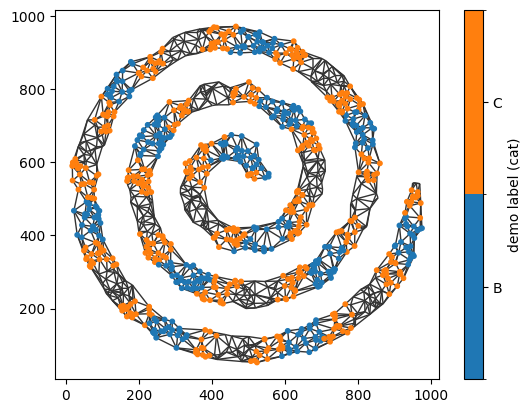
We can also query nodes whose labels belong to a specified set of values using the in relation. For example, let’s retrieve the IDs of all nodes whose demo label (cat) is either A or B.
[5]:
# querying using lists of categories
node_ids_A_or_B = sn.utils.query_nodes(spatial_net,node_label_name='demo label (cat)',relation='in',node_label_value=['A','B'])

# plot the spatial network with only nodes with label A
sn.utils.plot_spatial_network(spatial_net,nodes_to_plot=node_ids_A_or_B,node_label_name='demo label (cat)')
[5]:
(<Figure size 640x480 with 2 Axes>, <Axes: >)
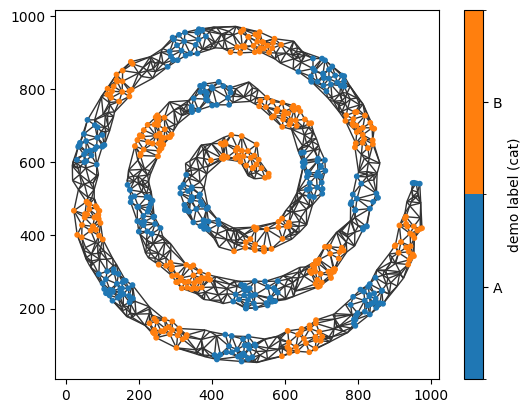
The same functionality works with continous labels. We’ll add continuous label to our spatial network next.
[6]:
# extract the categorical labels
cont_labels = spiral_data['Marker (continuous)']

# add the categorical labels to the network
sn.utils.add_node_labels(spatial_net,labels=cont_labels,node_label_name='demo label (cont)')

# plot the spatial network with nodes colored by the demo labels
sn.utils.plot_spatial_network(spatial_net,node_label_name='demo label (cont)')
[6]:
(<Figure size 640x480 with 2 Axes>, <Axes: >)
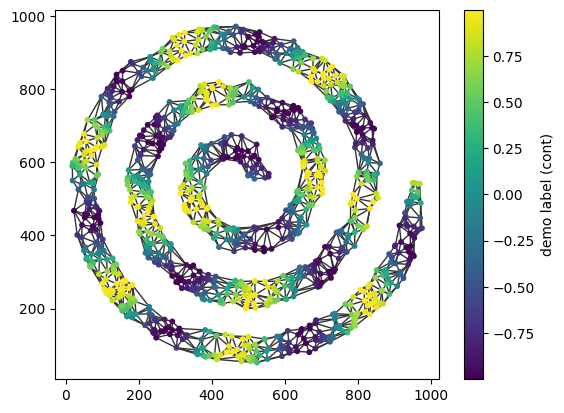
Now, for example, we can identify all nodes greater than a specified value.
[7]:
# query all nodes with label 'demo label (cont)'  greater than 0.5
node_high = sn.utils.query_nodes(spatial_net,node_label_name='demo label (cont)',relation='>',node_label_value=0.5)

# plot the spatial network with nodes colored by the demo labels
fig,ax=sn.utils.plot_spatial_network(spatial_net,node_label_name='demo label (cont)',nodes_to_plot=node_high,scatter_kwargs=dict(vmin=-1,vmax=1))
ax.set_title('All nodes with demo label (cont) > 0.5')
[7]:
Text(0.5, 1.0, 'All nodes with demo label (cont) > 0.5')
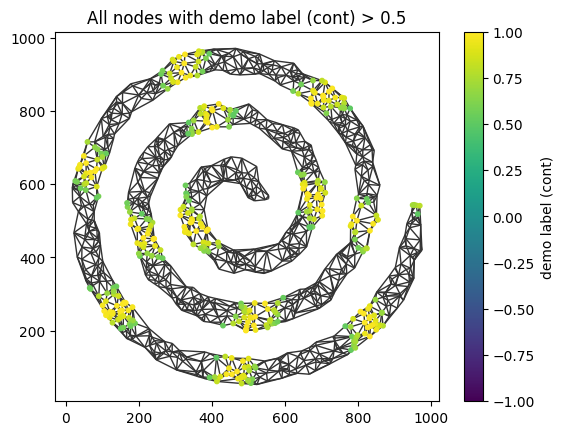
query_nodes() supports a wide range of comparison relations, providing a flexible way to identify subsets of nodes based on their labels or attributes. The resulting node IDs can then be used throughout SpaceNet for downstream analyses, filtering operations, or constructing spatial subnetworks.
For a complete description of the available query relations and functionality, see the query_nodes() documentation.